Weight Tracking, Calibrated Energy, and a New Mac App

Foodnoms has always been about making it fast and easy to accurately track what you eat. Today I'm thrilled to announce version 2026.8, which is packed with new features, many of which I've been looking forward to shipping for literally years.
Weight tracking is at the top of that list. It's the single most-requested feature in Foodnoms, and I'm glad it's finally out. But I didn't want to add weight tracking and call it done. Now that Foodnoms can see both what you eat and how your weight responds, it can do something far more useful with that: tune your goals to match what's actually happening.
This release also brings a brand new Mac app, rebuilt from the ground up, along with a new Body Profile, a significant overhaul of how goals work, and a long list of fixes.
Weight Tracking
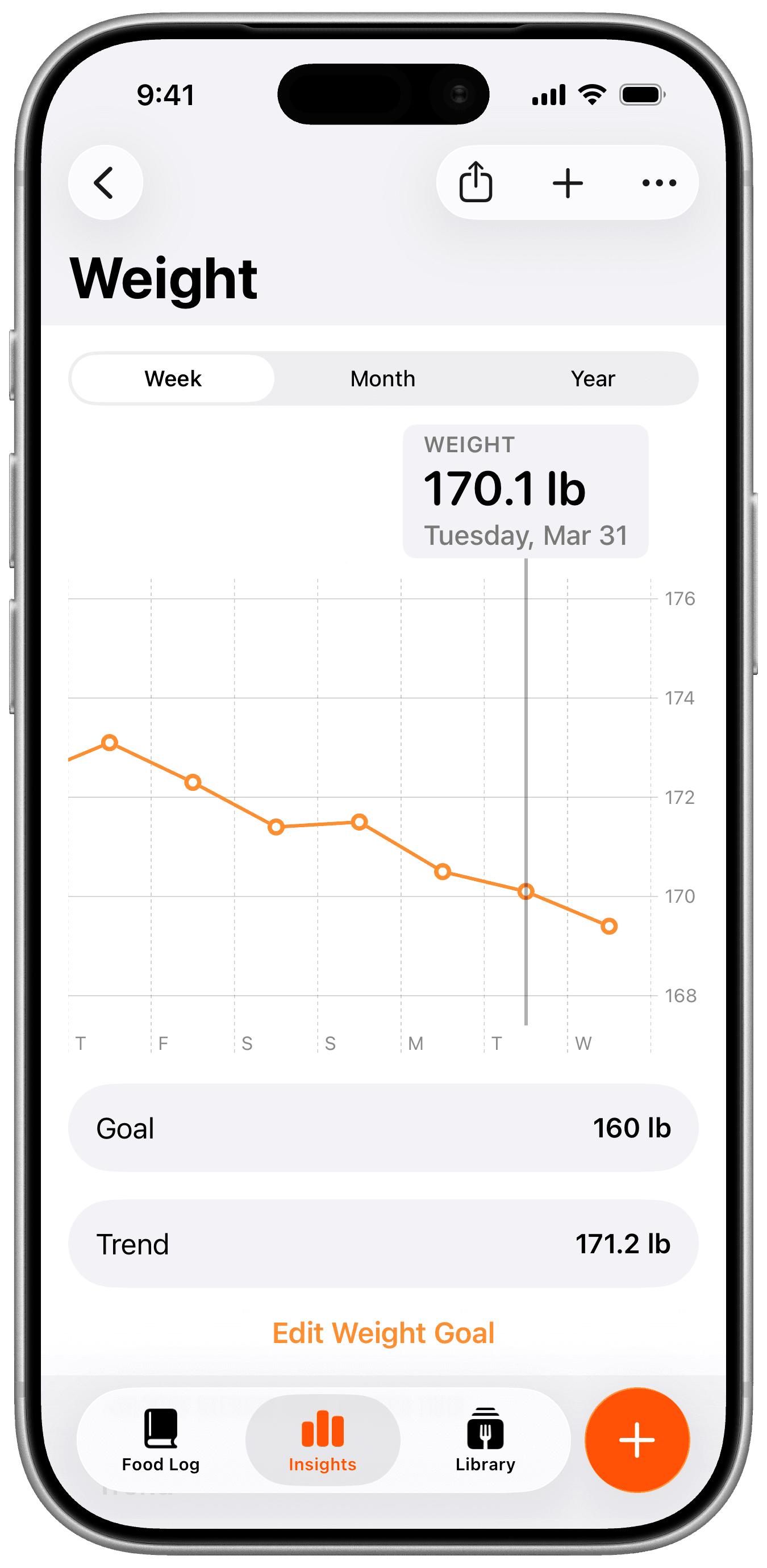
You can now log your weight in Foodnoms and see it charted by week, month, or year, complete with a moving average.
Your weight naturally fluctuates day to day based on hydration, sodium, and plenty of other things that have nothing to do with progress. The moving average smooths that out so you can see the actual trend.
Weight syncs with Apple Health in both directions. If you already weigh in on a smart scale or track using another app, your weight will be there the first time you enable syncing in the app.
Body Profile
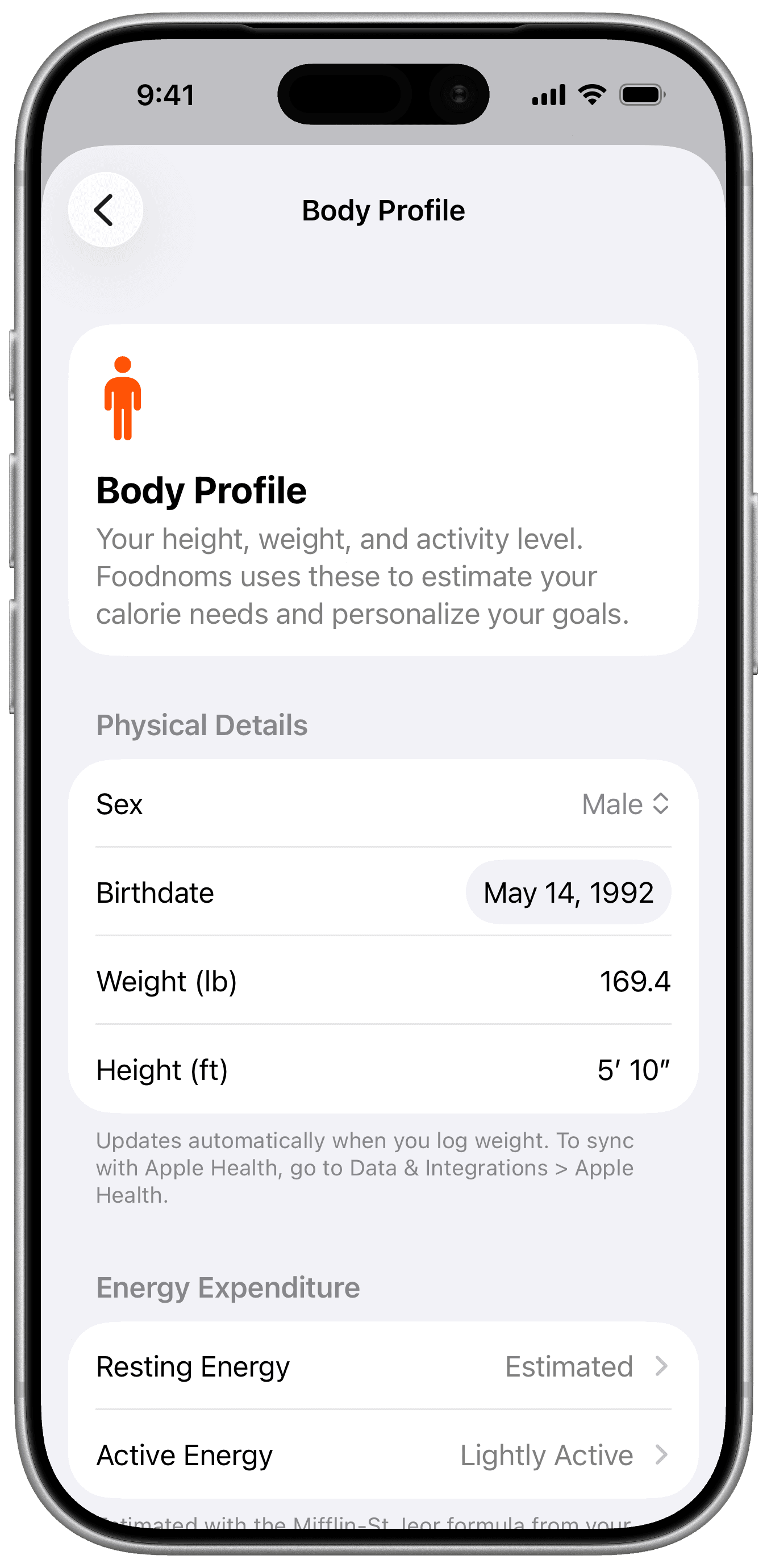
Your height, weight, activity level, sex, and date of birth now live together in a new Body Profile. Foodnoms uses this information to estimate your energy needs and personalize your targets, and the profile keeps itself current as you log weight or height in Foodnoms or Apple Health.
These details used to sit inside calorie goal settings, which never quite made sense, since they describe you rather than any particular goal. It also meant that Calorie Balance, which shows your estimated daily and weekly calorie surplus or deficit, only worked if you had an automatic calorie goal. Now it works however you set your goals.
Calibrated Energy
Your calorie goal starts out as an estimate based on your height, weight, age, and activity level. That's a reasonable place to begin, but it's a rough one. Everyone's metabolism is a little different, and yours changes over time as your weight and habits change. And nobody logs their food with perfect accuracy either.
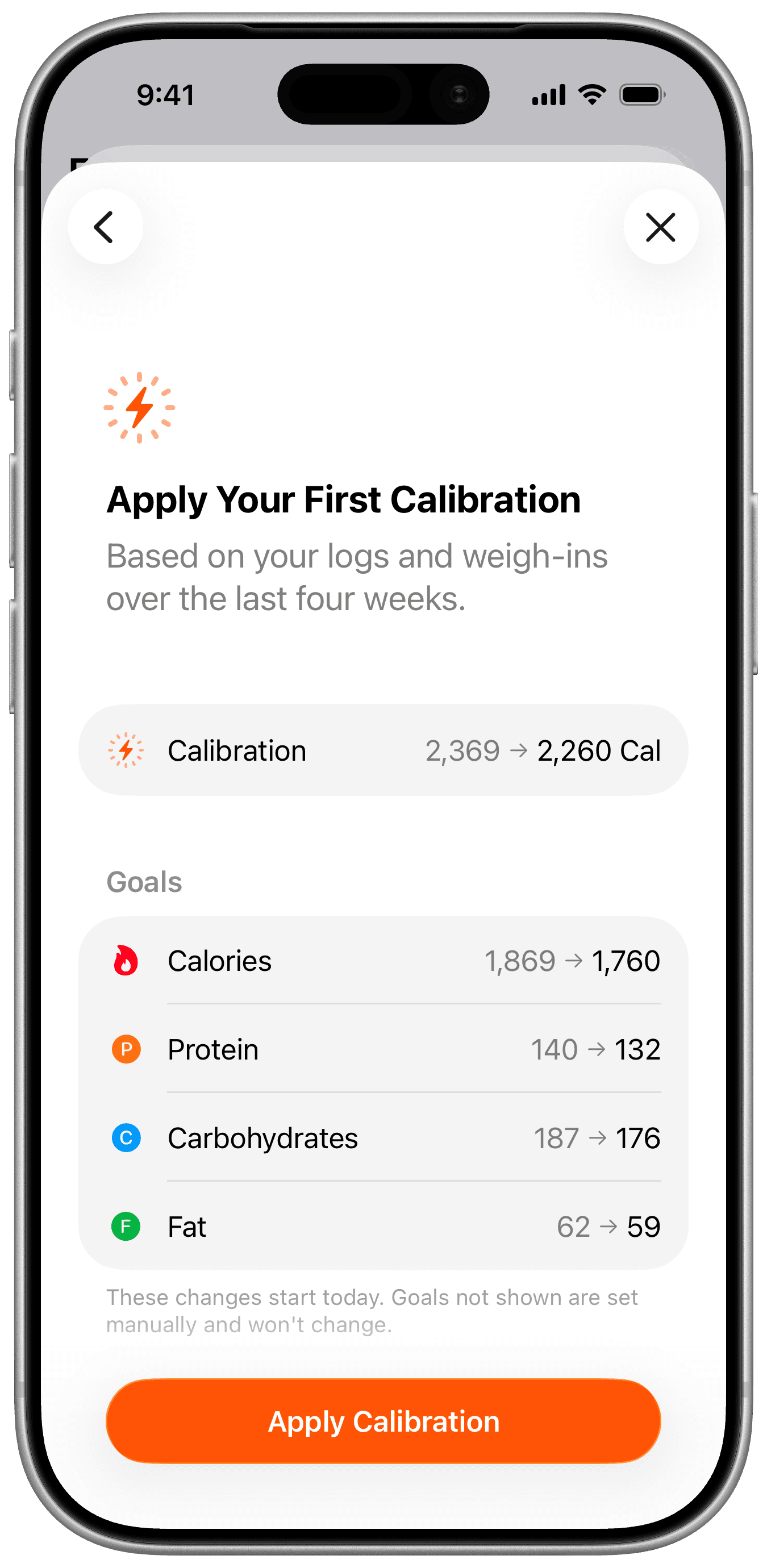
Calibrated Energy checks that estimate against what actually happened. Foodnoms compares what you logged against how your weight really moved, works out what your energy expenditure appears to be, and suggests an adjusted goal.
I realized the key here was trust. I didn't want to introduce this feature as a black-box algorithm that quietly changes your goals without approval. You review every calibration before it applies, which gives you a chance to make sure the data behind it is complete and accurate.
When the data is spotty or inconsistent, or when the calculated change is large, Foodnoms recommends easing in, which moves you halfway toward the new number instead of all at once.
Real data is messier than that, so a lot of the work went into handling it. Calibrated Energy fits a smoothed trend rather than reading raw weigh-ins, and it watches for the pattern where your weight swings out and comes back, which is usually water rather than tissue. If your logging has been patchy, it eases in automatically, because people tend to skip logging on their biggest days and a sparse window reads lower than reality. If your weight is already sitting in the underweight range, it will not suggest lowering your target at all. And if the measurement lands close enough to your current goal, it tells you that you're already calibrated instead of nudging the number for no reason.
Your first calibration unlocks once you've logged 14 days within the last four weeks, and the estimate works from a four-week window. It gets more accurate the more history it has to work with. It's still an estimate and not a lab measurement, but it's based on your own logs and weigh-ins rather than a formula built around an average person.
What matters most is that you log consistently. The computed value probably won't be your true total daily energy expenditure (TDEE), but it will be the TDEE that works best for how you log your food. Hence the name, "Calibrated Energy."
More Flexible Macro Goals
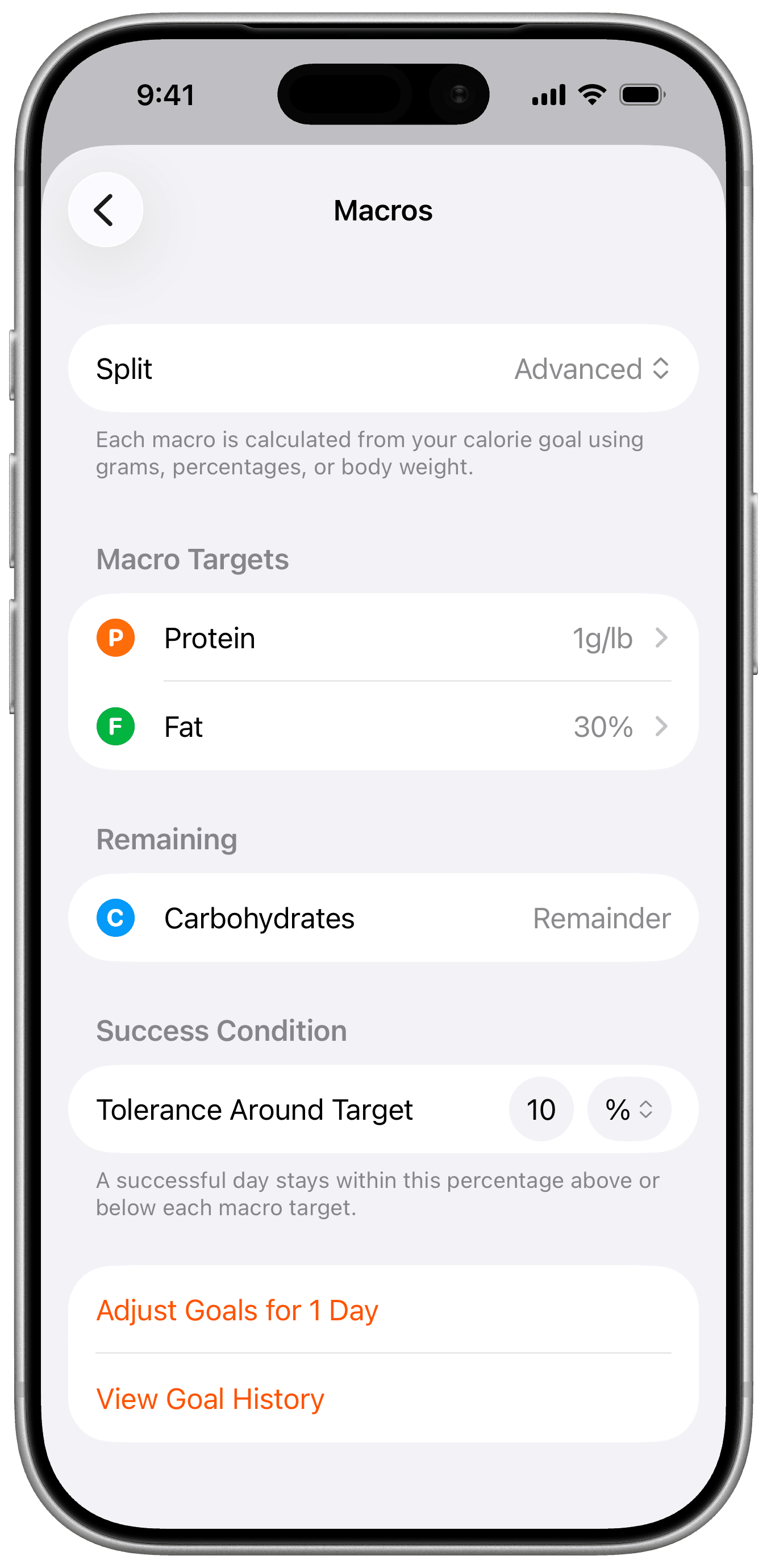
Macro goals are much more flexible now. You can set them as percentage splits, as grams, or as grams per pound of body weight, which is how most training and nutrition programs actually prescribe them.
In advanced mode you can pin the macros you care about, protein at 1 g/lb for example, and Foodnoms works out the rest for you.
Clearer Goal Settings
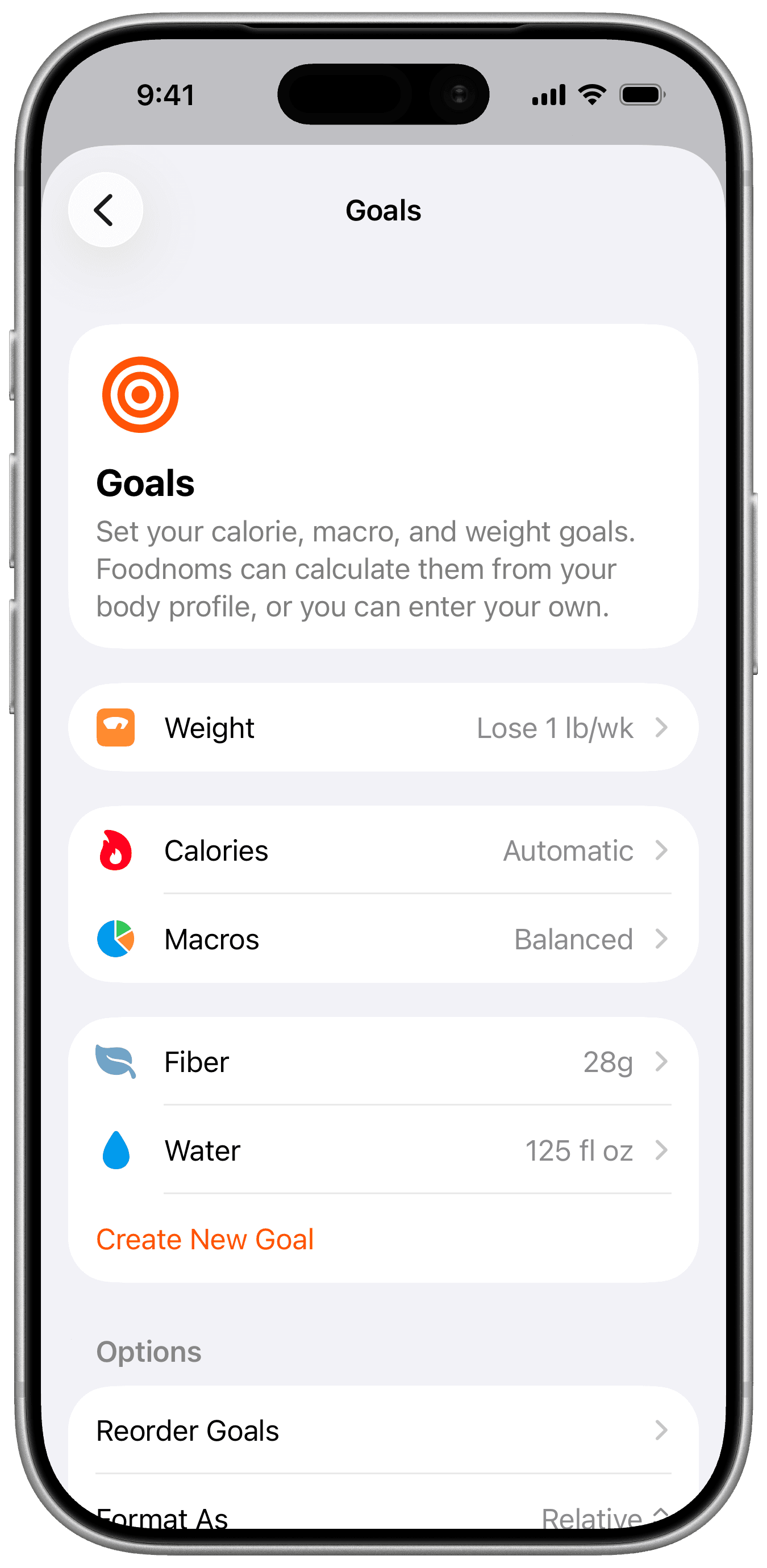
Every goal now lets you say what success means: landing around a target, staying under it, or hitting at least that much. This is already how most people think about their goals anyway. You want to stay under on calories, but hit at least a minimum on protein and water.
Goal cards show a checkmark once you're inside your success range, so a good day is something you can see at a glance rather than something you work out.
Improved Range Goals
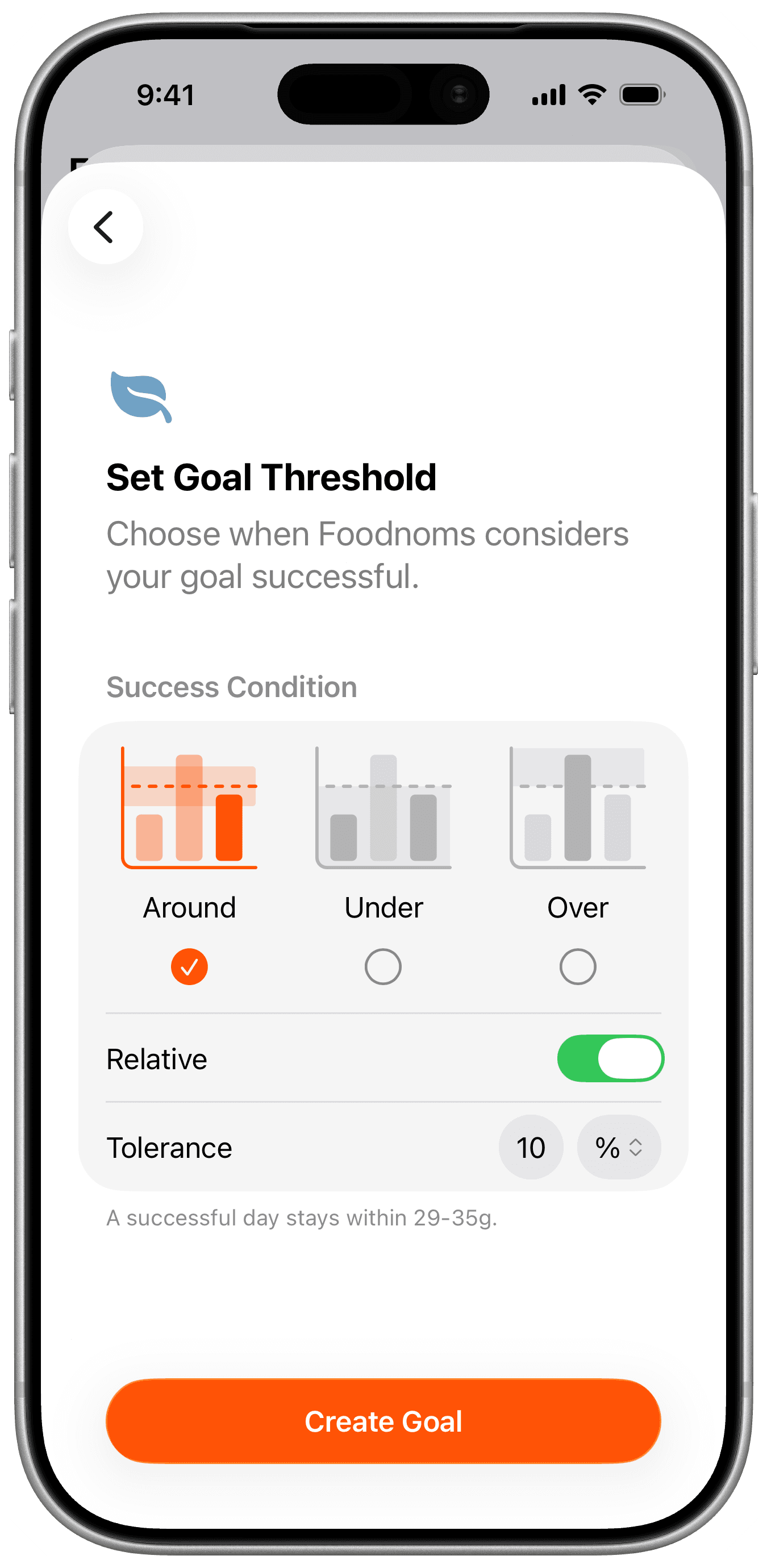
Every goal now has a single target, with the success range layered on top of it. For a range goal, that means picking the number you're aiming for and then how much room you want around it, either as a percentage or as an absolute amount. Foodnoms works out the bounds from there.
That sounds like a small change, but it actually fixed a lot of usability issues. Range goals used to be defined only by their upper and lower bounds, which presented a lot of design challenges. This led to a number of awkward compromises, like the dot in progress bars and rings, and fractions formatted as "800/1900-2300". In denser contexts, relative progress was measured against the lower bound when you were under it and the upper bound when you were over it, so the displayed number meant different things depending on which side of the range you were on.
Defining a target first and a range second makes all of that straightforward, and it's a more natural way to think about the goal anyway.
It also made a new kind of goal possible. A range can now be defined as a percentage of the target, so you can set your success condition as ten percent above or below whatever you're aiming for. That turns out to be a practical and forgiving way to set a lot of goals, especially when you have a specific number in mind and want some room on either side of it.
If you already had range goals, they've been migrated for you, with the target set to the midpoint of your old bounds.
A New Mac App
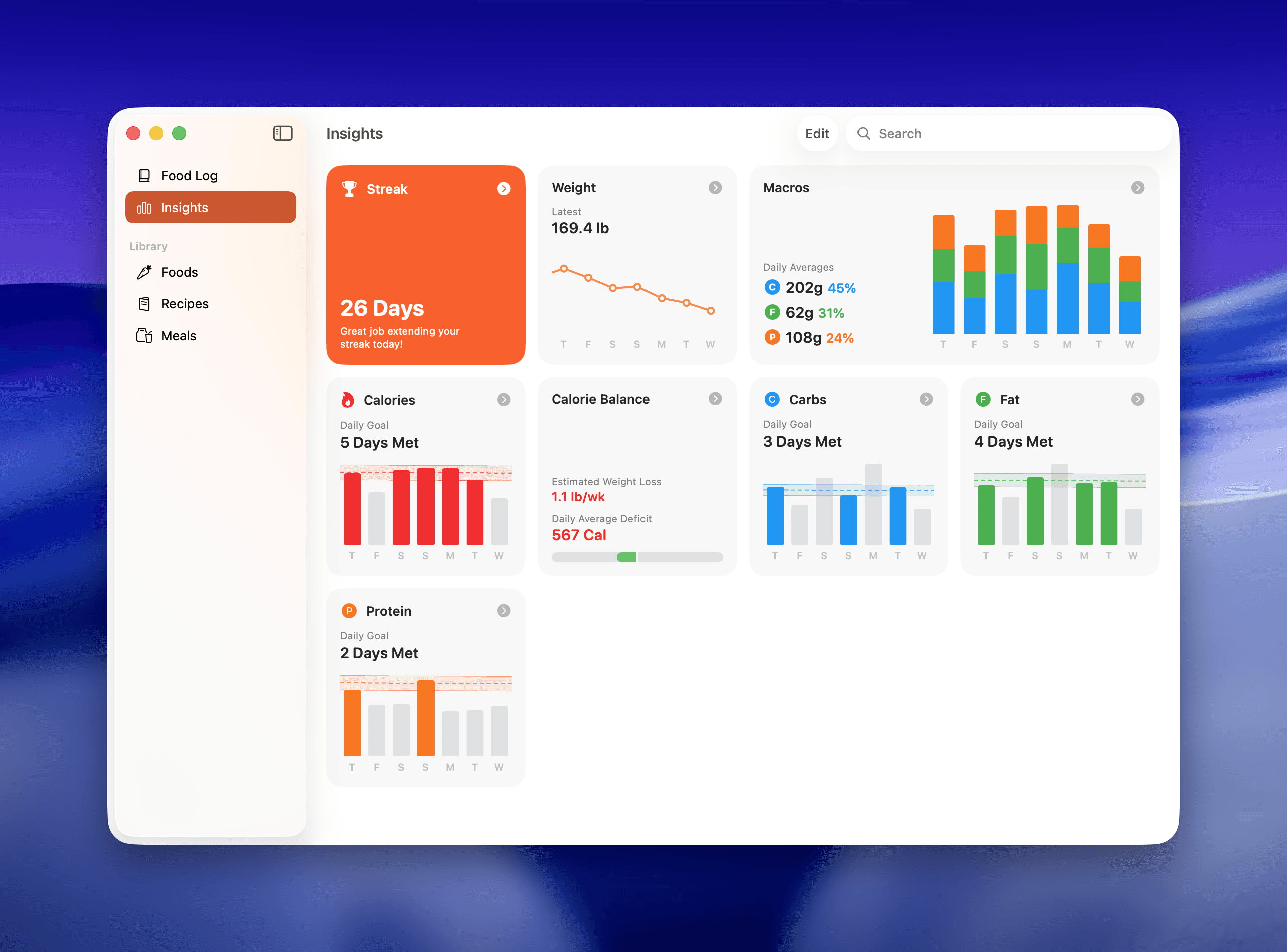
The Mac app has been rebuilt from the ground up, and I'm really happy with how it turned out.
Foodnoms for Mac has never been hugely popular relative to the iPhone version, but it is used and appreciated by many. It is nice sometimes to be able to log several things with a large display, keyboard, and mouse.
The previous Mac app was built with Catalyst. It was an obvious choice at the time, since it got Foodnoms onto the Mac with little effort. But it always felt like an iPad app, since it ran in the iPad-idiom scaled mode, and Catalyst has become less stable in recent years.
The new version is fully native and up to speed with the iOS version, so everything you do on your phone you can do here: log foods, build recipes, edit meals, set goals, and browse every chart in Insights.
Building the app was fairly straightforward in a technical sense. I had a rough proof of concept working in less than a day. But getting it fleshed out and polished took several months.
It was important to me that the Mac app feel familiar to anyone who already uses Foodnoms on their phone, while still behaving like a true Mac app. If you know where something is on your phone, you already know where it is on the Mac.
It was equally important that I could keep maintaining one codebase rather than two apps slowly drifting apart. I have a love/hate relationship with SwiftUI, but this is one area where it shines. Around 87,000 lines of interface code are now shared across platforms, with roughly 15,000 specific to the Mac. It's SwiftUI nearly everywhere, dropping to AppKit or UIKit only where a platform needs something SwiftUI doesn't cover. When I ship a feature or fix a bug from here on, it easily lands on both platforms at once.
Your data syncs across all your devices through iCloud or Foodnoms Cloud, whichever you prefer.
If you have Foodnoms+, your subscription applies automatically to the Mac app. So download it now and give it a try!
Other Improvements
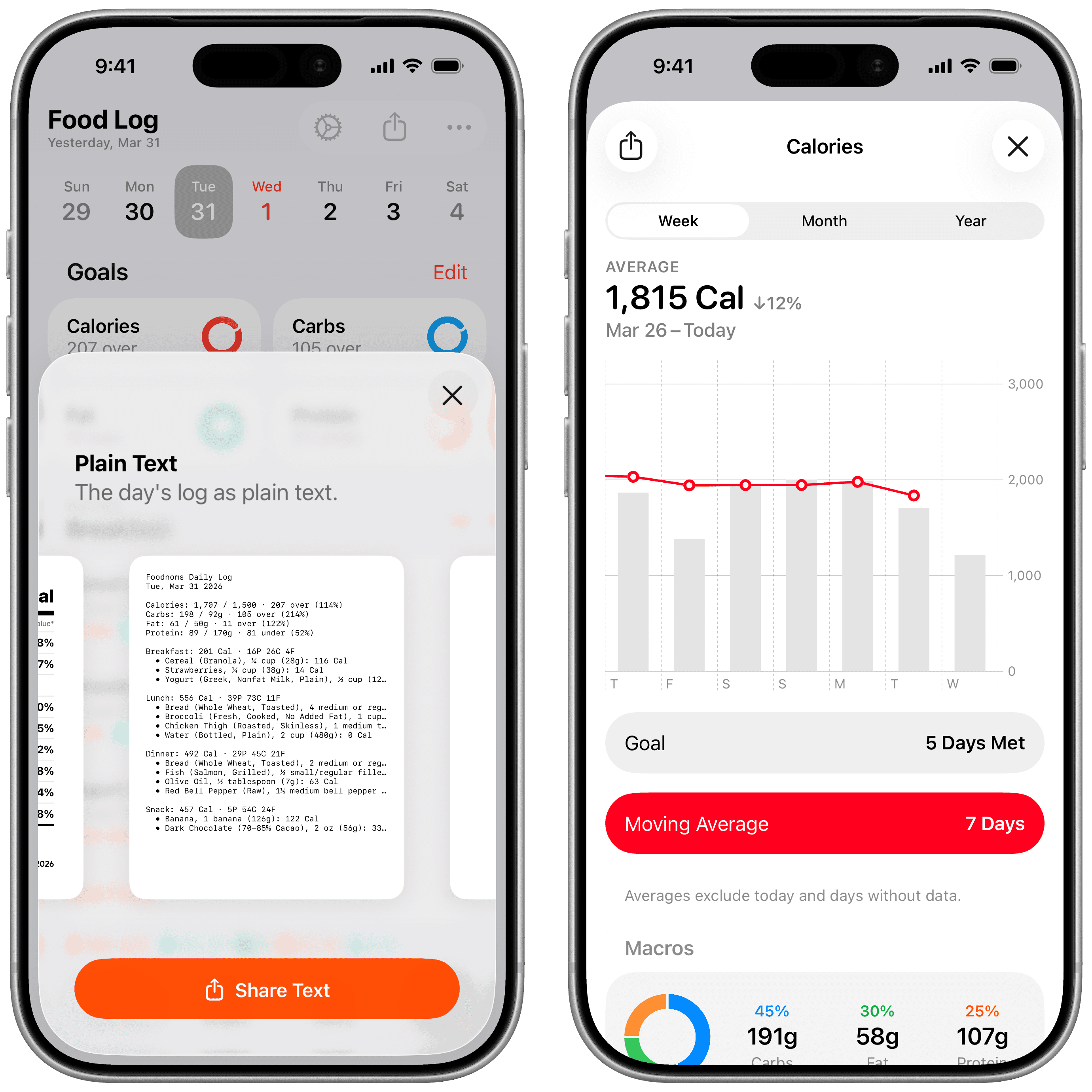
Every Insights chart now has a moving average, so trends are readable at a glance. Settings have been redesigned throughout. You can give your Foodnoms account a custom avatar. And you can share a text summary of your day's nutrition, which turns out to be most useful for pasting into an LLM or handing to a personal AI agent, though it works just as well for sending to a coach or dietitian.
There's also a long list of fixes, including several that have been quietly bothering people for a while: deleted items reappearing after a sync, Apple Health totals not adding up correctly, favorites logging unreliably from Apple Watch, widget buttons not responding when the app wasn't running, and incorrect dates on devices using the Buddhist calendar. Sync errors now come with clearer guidance when something can't proceed. The full list is in the release notes.
Availability
Foodnoms 2026.8 is available now on iPhone, iPad, Apple Watch, and Mac. It's a universal purchase, so the same App Store link works on every device. Open it on your Mac to install the Mac app.
The iPhone and iPad apps require iOS 18 (some new features require iOS 26). The Mac app requires macOS 26.
Looking Ahead
My top priorities are improving Foodnoms AI and the search experience, including the quality of search results, adding more restaurants (I've recently added and refreshed a big batch), and continuing to refine the app based on customer feedback.
I'm also opening up a beta for Foodnoms MCP! If you're a Foodnoms+ subscriber and interested in trying it out, you can express interest here. I'll be inviting testers soon.
If you try the new Mac app, let me know what you think. Feature requests and bug reports are always welcome at feedback@foodnoms.com.
As always, thanks for using Foodnoms! I hope you enjoy these updates.
– Ryan